About photoinfos.com
| Page 2 | 2021 © Thomas Gade |
... go back
Photoinfos.com was established in the year 2000 as a spin-off from my older website medienarchiv.com. Reason: Reports on photographic technology should not be mixed with a growing image archive.
At that time, I was managing projects for the unemployed (ABM / MAE), which mainly involved scanning photos for museums. We also had an excellent photo lab to reproduce photos in the conventional way, as well as to develop films from our own productions and create prints.
Above all, back then we lacked the knowledge and technology for digital image editing and scanning. There was therefore a constant need for instructions and tests of devices and methods. In addition, obtaining digital technology with the limited funds from project grants was often difficult, so used equipment had to be purchased for cost reasons.
I noticed that the employees rarely took notes during training sessions or lost them quickly. Scripts disappeared almost as fast as they were handed out. This didn't just affect the others; I too often couldn't find my notes again or didn't have them with me when I needed them. But by that time, all branches already had internet connections.
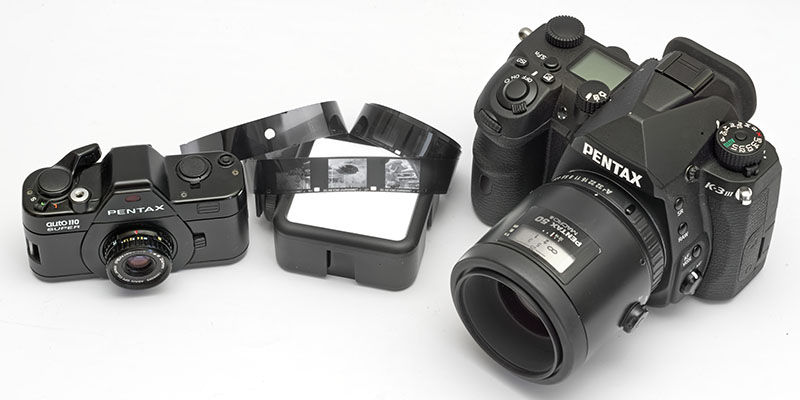
Pocket camera Pentax auto 110 super next to DSLR Pentax K-3 III
Online reference work
That's why I decided to learn website programming in order to put the information online. Moreover, websites that were not based on databases but on simple HTML with fixed links could also be viewed offline.
My colleagues in management positions and the managing director didn't think much of it. PowerPoint was in fashion and the logical structure of a website with Dreamweaver seemed too far-fetched to them. They also relied more on print products. For several years I produced the magazine ‘Der Fotorestaurator’ for my former employer. We printed it on our own rotary press, which theoretically could print four colors, but was really only controllable for black and white. Only in a single issue were there ever a few color pages. That, along with the printing costs and the relatively small print run of a few hundred copies that were mailed individually, made a website without such limitations increasingly attractive to me.
However, I couldn't convince my professional environment of this. I started photoinfos.com as a private project, also for the self-taught learning of website creation. The growing importance of this technology was too obvious to miss the train – and I could do it without any content specifications.
From the beginning, the topics were therefore determined by my personal and professional interest in photography and photographic technology, as well as by using the information on the internet as a reference work that could no longer be lost.
What do scanners actually achieve? The right settings.
I described various scanners and listed the correct settings for the tasks that occupied me and my employees. A tutorial for the scanning software VueScan was created, which on the one hand was inexpensive and on the other hand could control almost all of our scanners.
The basic approach of describing technology from my personal experience and needs has remained to this day, even though the range of topics has greatly expanded and since 2011 I have been working as a freelance journalist with a focus on photographic technology. By the way, this probably wouldn't have happened without the website photoinfos.com.
Current situation
Although one of the triggers for creating this website – namely my former employment – ceased to exist around 2010, I continued working on photoinfos.com. It is not a commercial project, but a private one that has nevertheless helped me to get commissions from publishers or to quickly give lenders of equipment an insight into the extent of my expertise.
For a few years I displayed Google AdSense advertising below a text, which brought in almost nothing and, after the tightening of data protection laws, was no longer tenable as a legal risk. That's why I also reject database-based, dynamic websites that offer user registration options and comment functions. I also noticed that with conventional HTM pages, placement in search engines depends less on a recent publication date than with blogs.
There are no clients from the photo industry for my reports, and I do not receive any fees for them. Therefore, there is also no pressure to be overly accommodating in reporting.
Reviews of photographic technology and software, how I test:
For years, manufacturers have provided me with cameras, lenses and accessories on loan for tests and magazine articles. I always refuse to adopt press texts and the images provided for the press. Many quick reviews by colleagues are basically based only on that and not on personal experience. They can publish something quickly. For me, it takes considerably longer until I have formed my own opinion about the things. Products are weighed by me and there are often clear differences between the values of my scale and those in the manufacturers' product information.
Video is not an important topic for me. For that purpose, the performance of any reasonably good point-and-shoot compact camera or even a smartphone is sufficient. That's why I rarely deal with it. On the other hand, I use system cameras with good macro lenses to photograph negatives and slides – i.e. as a scanner – and sometimes test the resolution of certain combinations. My perspective is therefore not relevant for everyone.
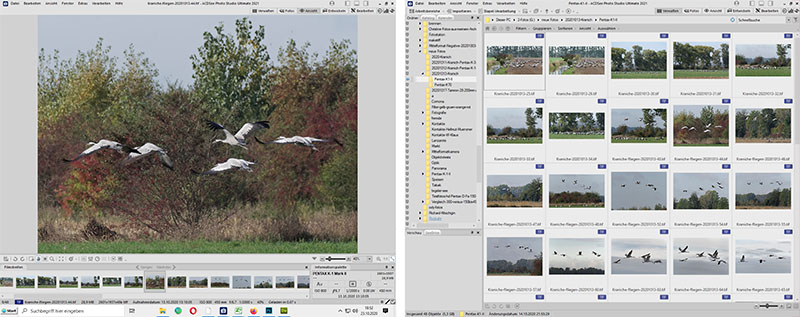
ACDSee Photo Studio Ultimate 2021 – RAW converter and image management
Software. Does it offer / deliver what I need?
The same applies to software. Does it offer and/or deliver what I need? Does it run stably? How do you configure it best? Some features are completely irrelevant to me, but others are very important. I test and describe it from my perspective and experience. There are plenty of other testers who also publish reports. Let the readers compare!
Individual features can lead to rejection for me. For example in the program FotoStation. It has an excellent IPTC editor with far-reaching functions. I don't know a better one. The website assistant in FotoStation is also unrivaled because the programmed defaults can easily be modified with moderate HTML knowledge. But woe betide anyone who opens a 16/48 bit TIFF for image processing with FotoStation. It is mercilessly reduced to 8/24 bit. That's why image editing in FotoStation is an absolute no-go area for me.
Optical devices
Telescopes are optical visual aids for me, whether for nighttime celestial objects or for nature observation. With the right accessories, they are very versatile. However, many can also be used very well as telephoto lenses with considerable focal length. With them I photograph and film animals, mostly shy migratory birds such as cranes or geese. That's why you will rarely find photos of stars in my telescope reviews. Since I use them mobile and do not have a fixed observatory, I also need to be able to transport and set up the telescopes and their tripods reasonably comfortably. That limits the technology that interests me.
Pixel peeping
Pixel peeping is a method of examining image files. You zoom in so much that the screen shows a section of the photo that is not interpolated to the screen size. This is called the so-called 100% view.
If a display has about 1,900,000 pixels (corresponding to 1600 × 1200 points), in 100% view it shows just 1.9 megapixels from a 24 megapixel file when the display is fully utilized. Displays with this resolution usually have at least a size of 21 inches and thus an area larger than DIN A3. This displays just under 1/12 of the entire file and is viewed from a short distance. Logically, image weaknesses then become apparent. The more pixels the file has, the smaller the section the displays show.
A 4K display with 3840 × 2160 (approx. 8 million) pixels shows four times as many pixels from the file in 100% view. Compared to the first monitor mentioned, this means a section that shows four times as much of the image. That would be about 1/3 of the pixels of a 24 megapixel file, on a screen size of usually 27–30 inches.
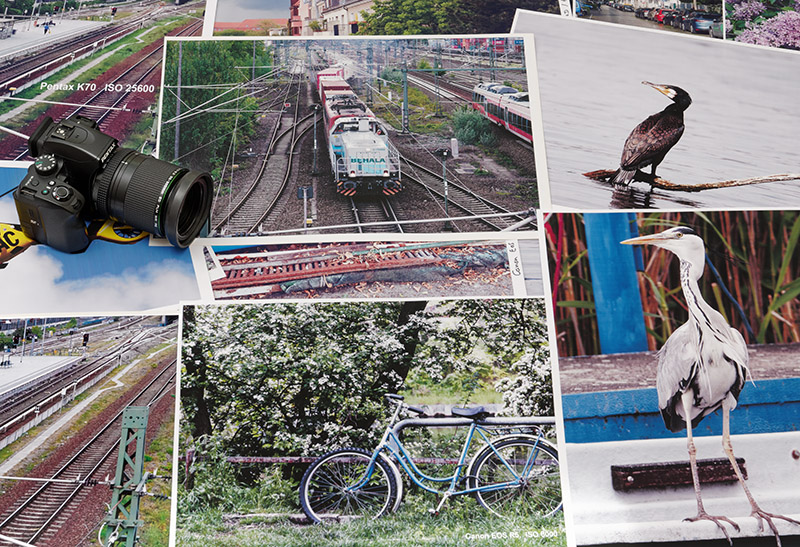
Evaluating DIN A3 prints instead of pixel peeping
From my point of view, this no longer makes much sense. You can ruin any image by greatly enlarging small sections that are viewed large-scale from a relatively short distance. Instead, I print files in DIN A3 format. Then I see real and above all large prints or enlargements, as they used to be called in the wet darkroom. The image evaluation often turns out considerably better than with microscopic viewing on the screen. By the way, I do this too when I meet other people and look at pictures with them. I lay them out printed on the table, which is always more convincing and enjoyable than viewing on the computer.
... go back